Sundara automations
Event Creator from Email
This Event Creator from Event will work with your Gmail™ as an add-on and helps the Gmail™ users to select an email and create an event in your Google calendar from the Email Subject and Body,
through the Add on screen, without leaving the Gmail™ window.
- After the Add on is added from marketplace, the Orange calendar icon in the right panel of your Gmail
-
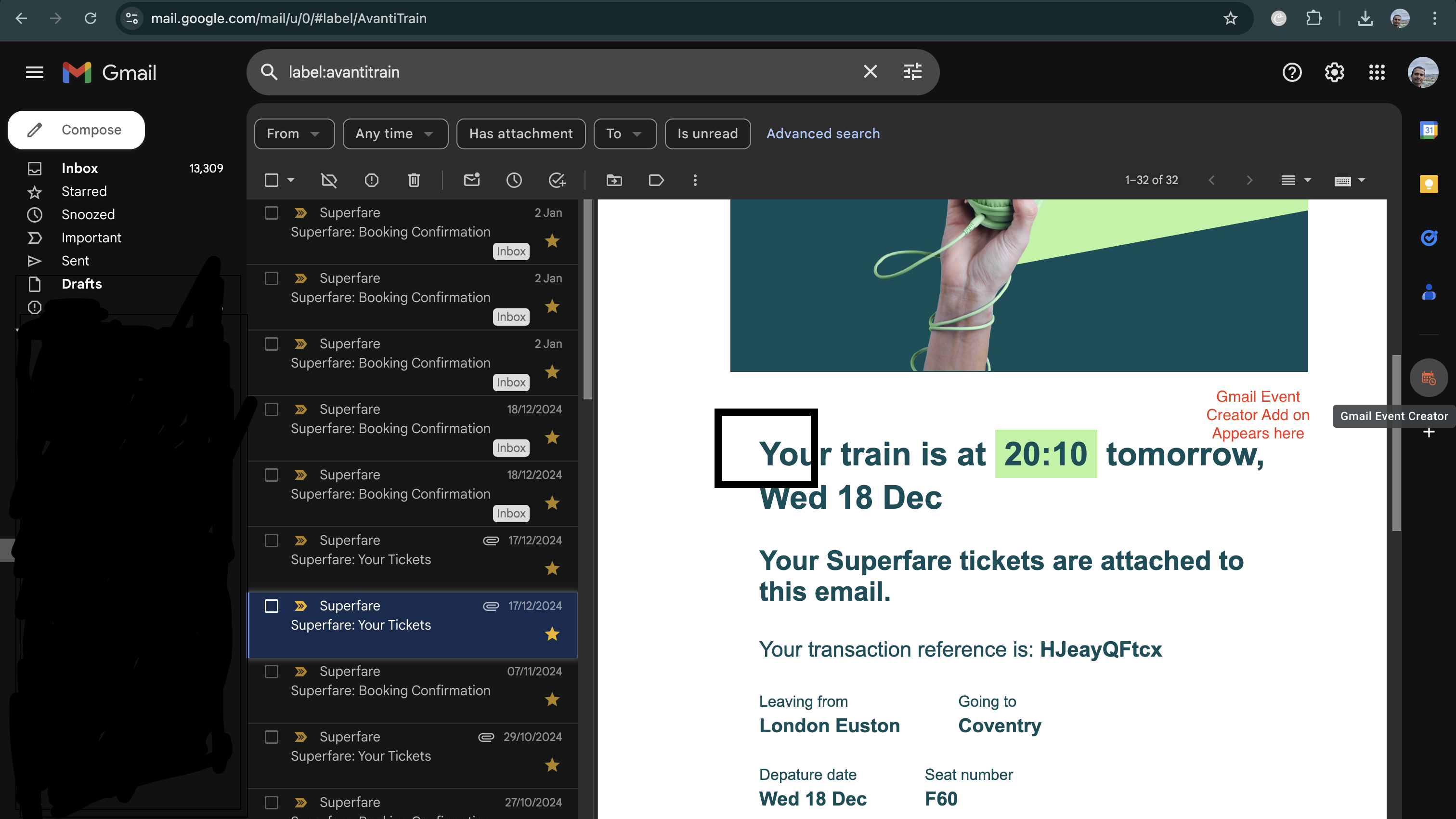
- Select the Orange calendar icon in the right panel, The Add-on loads with the home page as below
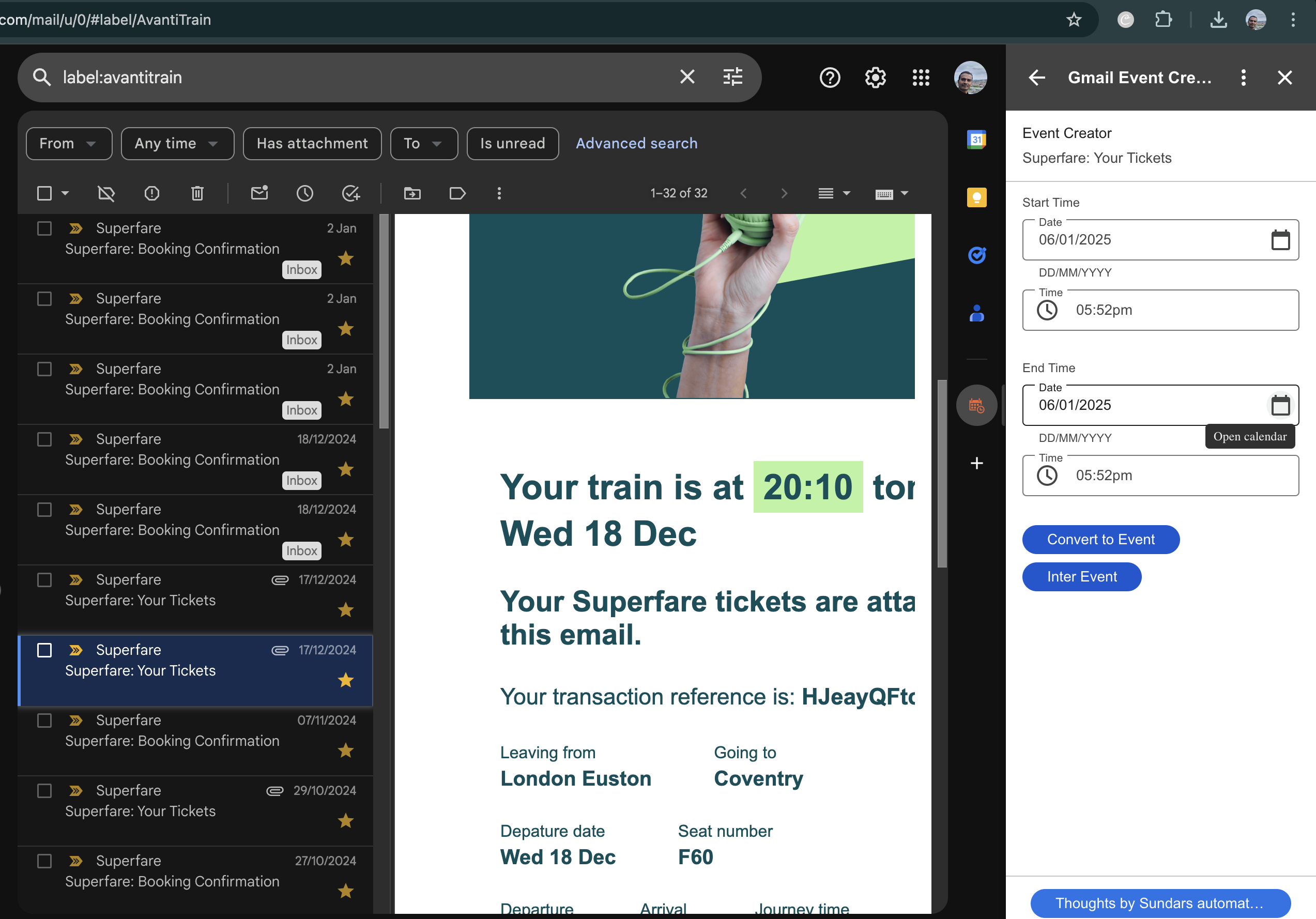
- Select any email in the email panel on the left
- you will see that the add-on view refreshes with the Subject of the email title
It also shows a DateTime picker for Event start date and Event End date.
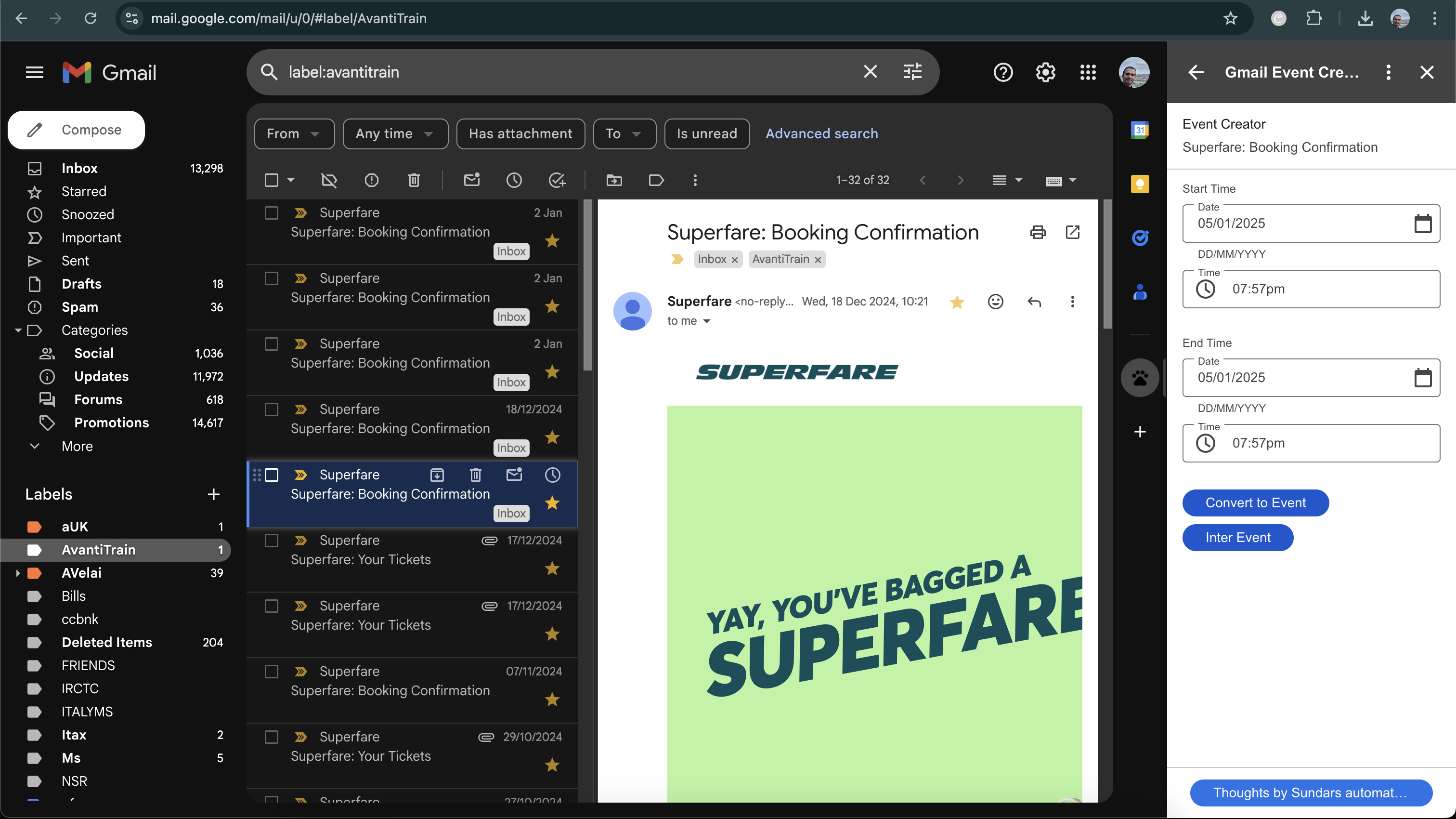
- Select the Appropriate Date and Time of the Event
Click on Convert to Event.
- Thats it !!!.. within 2 seconds, the event is created in your calendar now, without leaving the Gmail™ window.
Hope you love this add on.
thanks
Privacy Policy